How to Blend Two Photos into a Double Exposure Effect (Without It Looking Like a Mess)

How to Blend Two Photos into a Double Exposure Effect (Without It Looking Like a Mess)

There’s a specific kind of design request that used to make me sweat a little. Client sends over a headshot and a mood board full of those dreamy portrait-meets-landscape composites, and suddenly you’re either the person who knows how to do that, or you’re about to spend three hours on YouTube pretending you did all along. Double exposure is one of those effects that looks complicated and mysterious until someone actually walks you through it, and then you feel mildly embarrassed by how simple the core idea is.

Remove the Junk, Fix the Frame, Save the Shot: A Practical Photoshop Cleanup Workflow

Remove the Junk, Fix the Frame, Save the Shot: A Practical Photoshop Cleanup Workflow

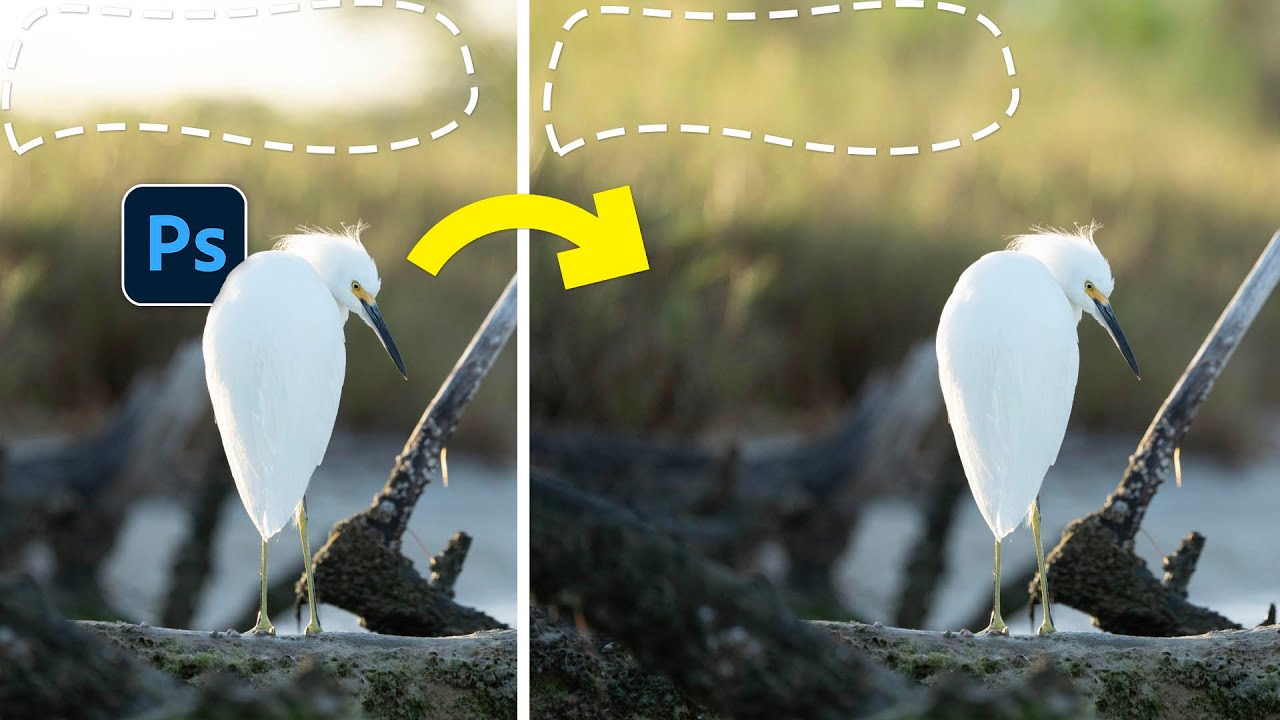
There’s a specific kind of frustration that comes from spending two hours cloning out power lines and random visual garbage from a photo, only to realize you missed three of them. I’ve been there more times than I’d like to admit. It’s the kind of tedious work that makes you question your life choices somewhere around the 45-minute mark at your corner coffee shop table. So when I watched PHLEARN’s tutorial on cleaning up, reframing, and polishing photos in Photoshop, I immediately stopped what I was doing and paid close attention.

Stop Wasting Time: The Custom Keyboard Shortcut Game-Changer Every Editor Should Know

Stop Wasting Time: The Custom Keyboard Shortcut Game-Changer Every Editor Should Know

I’ve spent way too much time watching editors fumble through menus like they’re searching for the TV remote. There’s a better way, and I’m genuinely shocked how few people actually use it. The Baseline Trap Nobody Talks About Here’s the thing about default keyboard shortcuts: they’re designed to work for everyone, which means they work optimally for nobody. Adobe ships Premiere Pro (and honestly, most creative software) with a solid foundation of shortcuts, sure.

Adobe's Latest Lightroom Classic Update: Finally, a Feature We Actually Needed

Adobe's Latest Lightroom Classic Update: Finally, a Feature We Actually Needed

Adobe’s Latest Lightroom Classic Update: Finally, a Feature We Actually Needed Look, I’ve been using Lightroom Classic long enough to know that not every update is created equal. Some feel like Adobe just threw darts at a feature board and shipped whatever stuck. But this latest release? This one actually addresses something photographers have been begging for since the invention of the memory card. Duplicate Detection: The Feature That Should’ve Shipped Years Ago Let me be blunt: duplicate detection arriving in 2026 feels simultaneously overdue and genuinely exciting.

Stop Sleeping on Camera Raw Filter: Your Secret Weapon for Stunning Photos

Stop Sleeping on Camera Raw Filter: Your Secret Weapon for Stunning Photos

The Tool You’ve Been Ignoring I’ll be honest—I spent years treating Photoshop’s Camera Raw filter like it was exclusively for photographers who shot in RAW format. Turns out, I was dead wrong, and I’m betting a lot of you have made the same mistake. Camera Raw Filter isn’t just a converter. It’s a full-featured editing powerhouse that most of us have been criminally underutilizing. While you’ve been hunched over your Curves and Hue/Saturation panels doing the same color work over and over, this beast has been sitting right there in your Filter menu, ready to transform your images in ways that’ll make you wonder why you didn’t start using it sooner.

AI Disclosure Requirements Are Coming to Creative Software—Here's What It Means for You

AI Disclosure Requirements Are Coming to Creative Software—Here's What It Means for You

AI Disclosure Requirements Are Coming to Creative Software—Here’s What It Means for You I’ve been watching the generative AI landscape shift lately, and honestly? The transparency movement just hit a major turning point. About one-fifth of Steam Next Fest demos now include some form of AI disclosure, and this trend tells us something important about where creative software is headed. Why This Matters More Than You’d Think Here’s the thing: the gaming industry is essentially running an experiment right now.

I Went to Lexar's Factory in China—Here's What I Learned About Your Memory Cards

I Went to Lexar's Factory in China—Here's What I Learned About Your Memory Cards

Behind the Scenes at the Factory Last week, I did something I never thought I’d do: I flew to China to visit a memory card manufacturing facility. Specifically, I wanted to get the real story on Lexar—one of the brands that’s been quietly powering professional photography workflows for years. And honestly? It was eye-opening. Look, I get it. Memory cards are boring. They’re the unsexy part of your kit. Nobody gets excited talking about read/write speeds at parties.

Overlays in Photoshop Don't Have to Look Cheap — Here's How to Actually Use Them

Overlays in Photoshop Don't Have to Look Cheap — Here's How to Actually Use Them

There’s a specific kind of embarrassment that only designers know. Someone asks you to add some “dramatic lighting” to a photo, and you spend forty-five minutes fiddling with Curves and Gradient Maps, fighting Photoshop like it personally offended you. Then you find out there’s a five-minute method using overlays that would have gotten you 90% of the way there in a fraction of the time. That’s basically my origin story with overlays.

Stop Applying Filters Destructively — Here's the Workflow That Actually Saves You

Stop Applying Filters Destructively — Here's the Workflow That Actually Saves You

Last year I was working on a banner for a local music festival — tight deadline, client breathing down my neck, the usual. I had spent about forty minutes stacking filters on a texture layer: Gaussian Blur, some Noise, a little Motion Blur to give it that gritty analog feel. Looked great. Client came back and said they wanted the blur “just a tiny bit less.” I went to adjust it, and realized every single filter had been applied directly to the pixels.

The GFX100RF Is a Weird Camera — Here's How It Actually Works

The GFX100RF Is a Weird Camera — Here's How It Actually Works

I’ll be honest: when someone first described the GFX100RF to me at a coffee shop here in Austin, I nodded like I knew exactly what they were talking about and then immediately looked it up on my phone under the table. Medium format? Fixed lens? Rangefinder style? It sounded like someone had described a camera by committee. But the more I dug into it, the more I realized the confusion isn’t a bug, it’s genuinely a weird and interesting camera that borrows from several traditions without fully committing to any of them.

How Game Updates Can Inspire Your Digital Art Workflow

How Game Updates Can Inspire Your Digital Art Workflow

When Final Acts Really Mean Something I’ve been thinking a lot lately about how creative projects come to completion. You know, those moments when you’re staring at your Photoshop canvas wondering if you should add just one more layer or call it done? Well, I stumbled onto something interesting that’s got me reconsidering how we approach finishing our work. The Beauty of Well-Planned Conclusions Here’s what caught my attention: major creative projects that land their final chapter properly tend to leave a lasting impression.

Cutting Out Cowboys and Making Composites Actually Look Real in Photoshop

Cutting Out Cowboys and Making Composites Actually Look Real in Photoshop

There’s a specific kind of embarrassment reserved for the moment a friend watches you work in Photoshop and says, “wait, why are you doing it that way?” I know this feeling intimately. I once spent three days on a composite, obsessing over edge detail and color matching, only to have someone show me a cleaner approach in about twenty minutes. The culprit both times: I was rushing the foundational stuff. Bad selection, no smart objects, baked-in adjustments I couldn’t undo.